
With the exciting arrival of our new Smart Hooks feature, we’ve seen a number of unique and interesting use cases come out of the woodwork. In this post, I want to dig in and mention the top five use cases I’ve seen with the Pre-Authentication Hook so far. These are not ranked but are simply the top 5 most popular examples deployed by our customers.
- Enforce a specific type of MFA
- Force a user to update their password if they haven't logged in for 30+ days
- Deny access to logins from specific locations or IP addresses
- Override Smart MFA to enforce MFA periodically
- Allow MFA device registration for passwordless login
- Enforce a specific type of MFA factor
With OneLogin, it's possible for a user to register many different types of MFA devices. For example, a user may configure SMS or Email MFA along with Duo, OneLogin Protect, and perhaps, WebAuthN for biometric authentication.
You may decide that whenever a user authenticates from outside their home country or from a seldom-used device, then you want to force them to use a stronger factor like OneLogin Protect, rather than letting them use a weaker factor like SMS. You can achieve these by leveraging the Pre-Authentication Hook integration between our Vigilance AITM risk engine, which looks at things like location and device. Simply enable "risk" and "location" when defining your hook, which results in your hook context containing location information, for instance, about the user and their current risk based on device usage as well as other factors.{ "type": "pre-authentication", "function": "", "disabled": false, "runtime": "nodejs18.x", "retries": 0, "timeout": 1, "options": { "risk_enabled": false, "location_enabled": false, "mfa_device_info_enabled": true }, "env_vars": [ ], "packages": { }, "conditions": [ { "source": "roles", "operator": "~", "value": "123456" } ] }Next, define a user policy that requires MFA but only has the OneLogin Protect factor enabled as an option.
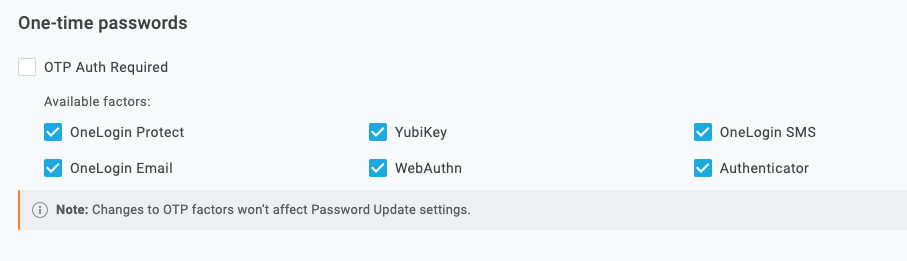 By switching the user to this hook, they can no longer use the less secure factors to complete the login flow.
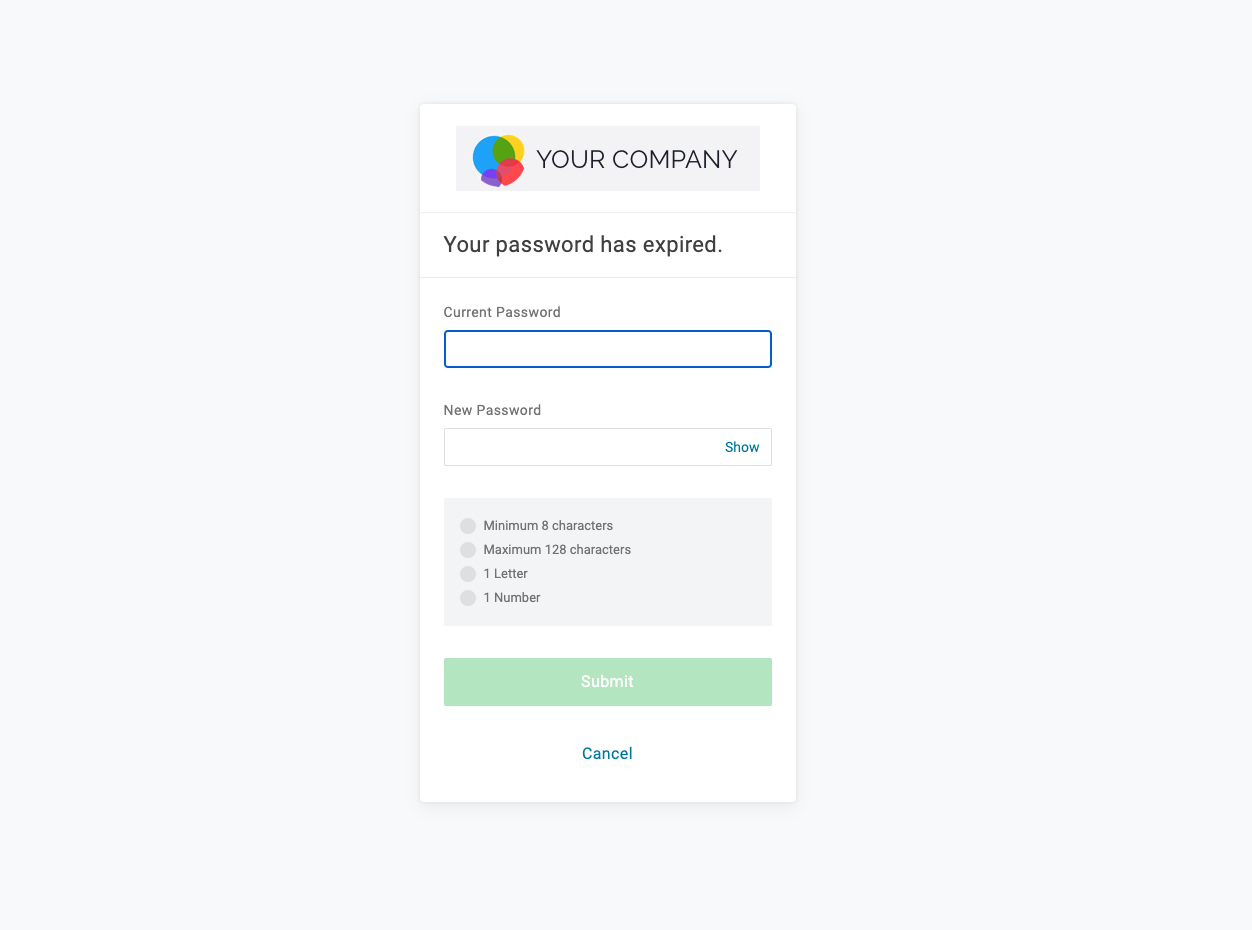
 - Force a user to update their password if they haven't logged in for 30+ days Several customers are interested in the ability to force a user to change their password if their account has been inactive for a defined number of days. To build out this example, you can simply look at the "last_login_success" attribute which contains the date the user last successfully authenticated. You need to create a User Policy that has a password expiry/rotation setting of 1 day. By forcing the user on to this policy in your hook, the user is immediately prompted to enter a new password after they successfully authenticate with their old one.
- Deny access to logins from specific locations or IP addresses What happens if there are certain conditions where you always want to deny access? This request is often associated with a user's location or perhaps their IP address and normally goes something like: "We're seeing high volumes of failed login attempts from country X so we want to immediately deny access if a login originates from there". While denying access based on location is not foolproof as a committed attacker could simply fake their location, this often cuts out a lot of the noise and helps to prevent user account locks due to multiple failed password attempts. The setup for this type of hook is simple. Inspect the parts of the user context that you care about and if the criteria for denying access is met, it returns a null response from the hook. The user is immediately denied access before they even have a chance to enter a password or verify MFA.
- Override Smart MFA to enforce MFA periodically OneLogin's Smart MFA offering leverages Vigilance AI to detect the level of risk for every user login. If the risk is high, then the user is prompted for MFA, but if the risk is low, the prompt for MFA is suppressed.
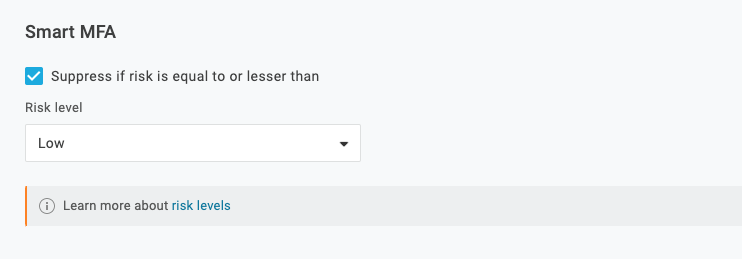 A new challenge for many people working from home is that they are very consistent in their behavior. They use the same computer, at the same time, from the same location, etc. every day, which naturally results in Vigilance AI calculating a low risk score and no prompt for MFA. In some cases, this reduction in MFA usage results in some users forgetting how to MFA or automatically disabling third-party authenticator devices due to inactivity. Thus, an ask from some of our early preview customers was, "How do I override Smart MFA and force a prompt for MFA?" The solution is to design a Smart Hook that inspects the collection of MFA devices, provided in the hook context, to determine the last time an MFA was used. The logic can be set up so that if the last-used date was more than X days ago, then switch them to a user policy that enforces MFA. To implement this, create a duplicate User Policy, but disable Smart MFA and instead make MFA mandatory for all logins. With the new User Policy ID in hand, you can use our "Require MFA every X number of days" example from the [Smart Hooks Postman collection](https://onelogin-screenshots.s3.amazonaws.com/dev_site/postman/v2/Smart-Hooks-OneLogin-API.json.postman_collection). Simply modify the example with your new User Policy ID and submit the request to enforce MFA usage every 30 days.
 - Allow MFA device registration for passwordless login With passwordless authentication gaining momentum, many customers are interested in how that fits in their environment. OneLogin offers a passwordless solution, which is implemented via MFA, allowing customers to skip password entry. Instead, end users complete login with the OneLogin Protect authenticator app or a biometric, such as Apple's Face ID.
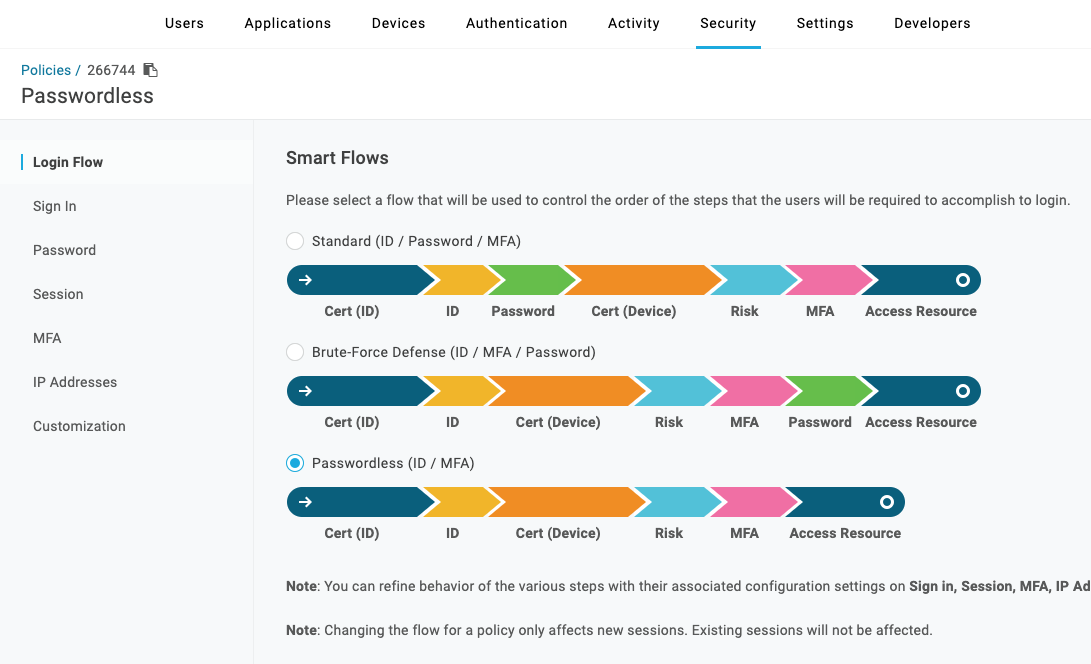
Since MFA is a hard requirement for this type of passwordless flow, how does it work when a new user does not have a MFA device registered yet? We can use a Pre-Authentication Hook to solve this problem by simply defining two User Policies:
Policy with Passwordless Smart Flow enabled
Policy with Standard Smart Flow + MFA registration step enabled